



PRINTING

Adobe RGB (1998) vs ProPhoto RGB
By Derek Doar

For some years now, since the Digital Photography revolution began, photographers have been recommended to use Adobe RGB (1998) as their working color space.

Photographic technology has move forward at an alarming rate and given us better cameras, monitors, printers and software.

Is it now the time to change to ProPhoto RGB?


Click to read article

PRINTING TIPS

  • When configuring your printer, make sure that the HIGH SPEED setting is Un-Ticked. The printer will then print in one direction.
  • Selecting HIGH SPEED (Bi-Directional) printing is fine to reduce printing times, but as your printer gets older, and wear takes place, it may be better to de-select Bi-Directional printing if fine banding can be seen (This is because due to wear, the line of printing in each direction differ very slightly) and print in one direction only.
  • When High Speed mode is not selected or turned off: **
    The printer prints in one direction only (from right to left [unidirectional printing]). Unidirectional printing is slower than bidirectional printing, and recommended for highest quality image printing.
    (**This Information is from the EPSON website.)
  • When installing new pigment ink cartridges, shake them well.(Pigment ink settles over time).
  • When printing Photographs, load the paper single sheet at a time, to avoid misfeeding.
  • If your printer misfeeds on certain papers, even if you only load one sheet, pre-feed the paper into the printer.
  • Wherever possible, print one single sheet at a time to prevent print surface damage.
  • Never stack prints for drying.
    Prints should be dryed as quickly as possible and stacking them retards the drying of all but the top print.
    This is very important, because ink spreads whilst wet (Dot Gain) and delaying this drying process, may allow the inks to carry on spreading, causing unsharpness, in particular on Art type papers.
  • Allow the print to fully dry before assessing the colour.
  • Carry out a nozzle check before a print run.
    If you find gaps in the nozzle check printout pattern, carry out the cleaning procedure until you get a perfect printout pattern.
    Only then should you start printing.
  • When using Art Papers shake each sheet just before printing onto it. This is because some Art papers, because of their construction, may have loose fibres on the surface and if these fall off after printing they may leave small unprinted white patches.

CUSTOM PAPER AND INK PROFILING

Paper and ink profiling is very important for printing correct colour.

Most people rely on choosing generic profiles that are supplied by the printer manufacturer.
Generic profiles by their very description are nothing more that general profiles to suit a range of printer/ink/paper combinations and because of this the results can vary wildly.

A Custom Profile is one that is tailored to your personal print set-up and takes into account your actual PRINTER/PRINT SETTINGS/INK TYPE/PAPER TYPE

For accurate printing you must use a Custom Profile for every printer/ink/paper combination that you use.


By using a Custom Profile you will utilise your printers full capabilities and in return you will get more accurate,vibrant and saturated colours.
You will also use less ink and make less wasted test prints.
This means better quality prints, in less time and for less cost.

Click on the image on the left to find out how to get your own
CUSTOM ICC PROFILES
from
FotoSpeed

These are FREE if you buy your paper from Fotospeed

PAPER AND INKS

A range of papers
from

Fotospeed


WHAT PAPER AND INKS SHOULD I USE ?
This is a question that I get asked quite regularly and the easy answer is:
the papers and inks that your printer manufacturer recommends.
HOWEVER
There comes a time when the inks and papers recommended by the printer manufacturer do not meet your requirements in terms of PAPER PROFILING, INK COSTS, TYPES OF INK, TYPES OF PAPER or LONGEVITY OF PRINTS.
Let us look at these requirements one by one.

INK COSTS

If your printer uses color cartridges where all the colours are in one cartridge, as soon as your printer detects that ONE of these colours need replacing, it will tell you to replace the cartridge and because the usage of each colour can vary greatly, depending on the subject you print, it will be most likely that you will be throwing away the other colours of ink that haven't run out.

WAYS OF REDUCING INK COSTS

1. When you buy a printer look for one that has an individual cartridge for each colour of ink.
This is much better way of reducing ink usage and keeping ink costs down but even then you have to throw away the cartridge with a small amount of ink in it (so that you don't get air in the system.)

2.Buy a printer with large capacity cartridges.
This is fine if you are printing a lot of images and therefore using a good deal of ink.
If you have large capacity cartridges and you only print a few images a month, it is likely that the particles in the pigment inks will start to settle long before you empty the cartridge, possibly resulting in variable print quality.

3. Fit a Bulk Ink Feed System.
This is the most cost effective way of saving on ink costs.
This type of system works by piping ink from bottles outside your printer to a modified ink cartridge.
There are a few different makes of Bulk Ink Feed Systems on the market but the one I have chosen is by:

FotoSpeed
click on the image for details

TYPES OF INK

1. STANDARD DYE BASED INKS
These inks are normally used in printers that are mainly intended for printing text. They can be best described as Plug-N-Play inks due to the fact that they do not require any special profiles for normal use. The problem with dye based inks is that the colours can fade very quickly.

2. PIGMENT BASED INKS
These are the inks that you should use if you require high print permanence and are intending to sell your prints but they are expensive and almost certainly need print/paper profiles to get the best out of them.

They also provide a slightly smaller colour gamut.
Most of my prints are printed using Fotospeed's Ultra 4K Pigment Inks on Acid free, pH Neutral papers from Fotospeed's EG range

TYPES OF PAPER

You may want to try out different papers so let us look at some of the different types available.

1. MATTE
This is the type of paper that is used for printing with pigment inks because they absorb the ink into the paper more than the Gloss,Satin or Pearl papers thus increasing print longevity. There are also no reflections to distract from viewing the print. On the downside, some brands of Matte papers make the image flat looking (low contrast) and the blacks look sooty rather than a deep black

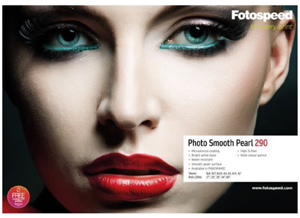
2. SATIN,PEARL or LUSTRE
These are the types of papers preferred by some wedding photographers.
They give the image a softer feel(not necessarily less sharp)than a glossy paper would and there are less reflections from the surface, which make viewing easier.

3. GLOSSY
A lot of people still think that this is the main type of paper for Photographic printing. Glossy Papers make the images look crisper, and used to be the first choice for printing images containing fine detail, but the continuing improvements in paper producing technology and coatings mean that even the heavyweight Art Papers can now hold fine detail.

4. FIBRE BASED GLOSSY
This new range of papers and newly developed coatings, give the look of the traditional Fibre Based darkroom paper.
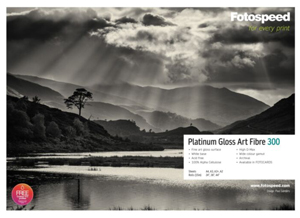
I now use the Fotospeed Platinum (unglazed) Glossy 290g Paper for both my colour printing and my B&W printing.
This paper is truly oustanding for B&W printing and when correctly profiled and the B&W image printed using all of the colour inks, exhibits beautiful rich blacks.
This is without doubt my favorite paper.
CLICK HERE TO BUY

5. BARYTA PAPERS
The latest trend in inkjet printing paper is Baryta. While it is new to the digital printing world it actually has its roots in high quality B&W printing papers from our past.

Baryta is barium-sulphate, a clay-like material that is applied to a fiber paper substrate.
On a new breed of papers designed for inkjet printing with pigment-based inks, Baryta is being used to provide a smooth reflective coating.
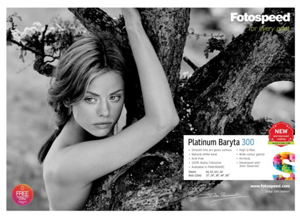
The Fotospeed Platinum Baryta - 300gsm paper keeps the most delicate highlights with smooth transitions and gives the deepest blacks, resulting in the traditional Baryta darkroom look and feel from an inkjet paper..

CLICK HERE TO BUY

6. ART
In the past few years these papers have advanced from being smudgy printed watercolour papers to first class, true Photographic Art Papers capable of retaining fine detail.
There are many types now on the market and only by trying some of them out will you find one or more to suit your personal requirements.


CHOOSING YOUR PAPERS


What are the best Papers to use?
Paper choices are very personal, and I would recommend you try various papers until you find the ones that suit your needs in terms of Appearance, Sharpness, Feel, Price and how they print with your equipment and inks.
By all means take note of recommendations but try for yourself.

Here are some of my personal favorites.

BARYTA PAPERS
1.
Fotospeed Platinum Baryta - 300gsm
This paper is currently my favourite for my B&W printing.
This paper has the capability of displaying wonderful deep blacks and detailed highlights and midtones.

UNGLAZED GLOSS
1. Fotospeed PLATINUM GLOSS (UNGLAZED) 290g
This paper looks like a Fibre based, dark room paper and the B&W pigment ink prints that I have printed on this paper using an Epson Stylus Pro 3800 printer and the PHOTO Black ink (and a free Custom Profile supplied by FotoSpeed) are the closest prints to wet processed darkroom prints that I have seen. Also a WARM TONE version of this paper is now available

MATT
1. Fotospeed EG DW Photo FB Matt 280g
Modeled on traditional FB darkroom papers this Matt paper with it's white ultra smooth surface, enables digital workers to get the same feel and look as achieved in the dark-room. Water & scuff resistant and accepts dye or pigment ink.


ART
1. Fotospeed EG Natural Textured 315g.
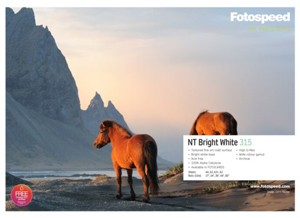
This 100% acid free matt paper with its natural white base is ideal for both colour & monochrome. This paper is particularly suited to artistic and painterly images.

2. Hahnemuhle Photo Rag (BRIGHT WHITE) 308g.
This paper is almost the same as the standard Hahnemuhle Photo Rag (see below) but brighter white base - Contains NO OBA's
I use this paper when I need to lift the contrast slighty.
A beautiful paper for snow scene images
.

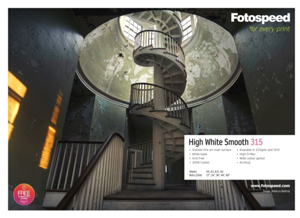
3. Fotospeed EG High White Smooth 315g.
pH Neutral-100% Cotton Rag Paper, very smooth & white.
Makes this paper an excellent choice for images that need to last a long time. This paper is very revolutionary in its coating and feel.
Water & scuff resistant and accepts dye or pigment ink.

4. Hahnemuhle Photo Rag 308g.

This paper is a Fine Art Paper. It is a smooth pH Neutral-100% Cotton Rag mould made art paper that gives excellent sharpness. Although this paper is heavy it doesn't present loading problems like other papers of this weight. Another bonus point with this paper, is that it has waterproof properties.

5. Hahnemuhle Torchon 285g.
This paper is a Fine Art Paper.It is an acid free, mould made paper with a parchment-like surface. Water resistant, accepts dye/pigment

LUSTRE

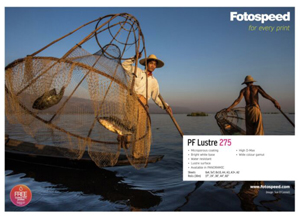
Fotospeed Pigment Friendly Lustre 270g
As the name of the paper says, it is excellent for use with pigment inks - particularly when ICC profiled (Fotospeed will supply you with a FREE custom profile for any of their papers that you buy)
This fast dry product can also be used with dye inks where it is instant dry.

GLOSSY
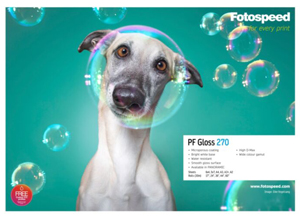
Fotospeed Pigment Friendly Gloss
270g
Instant Dry microporous Gloss inkjet paper on a resin coated base.
Water resistant and compatible with most inkjet printers.

This paper when used with Fotospeed's Superfine Dye Inks gives superb prints without any trace of a surface bloom.
As the name of the paper says, it is excellent for use with pigment inks - particularly when ICC profiled (Fotospeed will supply you with a FREE custom profile for any of their papers that you buy)

THE LONGEVITY OF DIGITALLY PRINTED IMAGES


This article is by courtesey of CLIFFORD BURT of R.K.BURT & COMPANY LTD
Paper suppliers since 1892
www.rkburt.co.uk

The issue of longevity is very complex and in the early days of this technology, it is not possible to be categorical about results. The papers used for digital ink jet printing fall into two categories, coated and uncoated. The coatings applied are specially formulated to give good ink hold out and low dot gain, ensuring a sharper image. The formulations of the coatings are a closely guarded commercial secret by all manufacturers.

When considering the longevity of the images there are a few certainties:

  • Uncoated papers will give better longevity than equivalent papers which have been coated, but will not give as good a printed result.
  • Pigmented inks will give better longevity than dye based inks, but tend not to give such a good colour gamut.
  • Longevity is improved when ink density is increased. - This is part of the reason uncoated papers give better image life, because they require greater ink saturation to provide the same colour density.
  • Since the inks sit more on the surface of coated papers it is subjected to more environmental degradation and radiation.
  • Chemical contamination from the atmosphere or other chemicals such as the organic solvents in glues will seriously affect paper coating, potentially causing discolouration.
  • Some glue in adhesive tape does not even require direct contact with the paper to cause discolouration. Tests indicate that there are instances when a particular tape does not cause a problem when in direct contact with the paper. However, the same tape with an acidic ‘catalyst’, such as packaging board adjacent to the paper, will result in discolouration. Archival, pH neutral tapes are available and tests suggest they are less likely to cause a problem. See www.ukindustrialtapes.co.uk for more.
  • The atmosphere in London is approximately pH 4.5. The effect of this on coatings, inks or the reactions between the two is unknown.
  • All organic matter, including paper, is bio-degradable and as such should be treated with care.
  • Papers, which are bright white, contain varying degrees of Optical Brightening Agents (OBA). The OBA converts the longer wavelength ultra violet light into the blue end of the visible spectrum. This "blue-whiteness" reduces as the unstable OBA degrades. This results in paper looking slightly more yellow than originally. This is quite separate from a paper being Neutral pH or Acid Free.
  • If the whiteness of paper is achieved by the use of stable compounds such as Titanium Dioxide, their colour will better withstand the adverse effects of light radiation.


There are also some uncertainties:
  • The “guarantees” associated with many products are dependent on compliance with certain conditions. It is invariably the case that the end user would be unable to subsequently prove that they have complied with any of them for the whole life of a print. e.g. constant temperature, constant relative humidity, fixed light intensity, within certain spectral parameters and with specific shielding.
  • Changes in relative humidity affect life expectancy, though like many of the variables, the extent and nature of the effect is not certain.
  • The life expectancy tests conducted do not seem to give figures for standard deviation of expected result errors, despite extrapolation of limited data over a short period to expectations many years into the future. This may explain why tests conducted on the same paper sold under different brand names, with the same ink sets, has provided widely varying results.
  • Many tests involving high levels of radiation result in raised temperatures, which may affect the accuracy of the extrapolation.
It often seems that the questions asked about the longevity of prints are new. This is not the case. The issue has been a subject of discussion for all types of printing methods for years.

Many consider that one of the great advantages of digital prints is that they can be reproduced at any time, with confidence that they will resemble the original. The Guild of Fine Art has always insisted that a set of prints had to be produced in one run, in order to be faithful reproductions, because there were assumptions made about how they would be printed. This view now seems a little out-dated.

In conclusion, it can be said that when considering longevity; to use pigmented inks is better than dye based inks, uncoated papers are better than coated papers and the careful handling and storage of a print is necessary.

Clifford Burt - R. K. Burt & Company Ltd.